
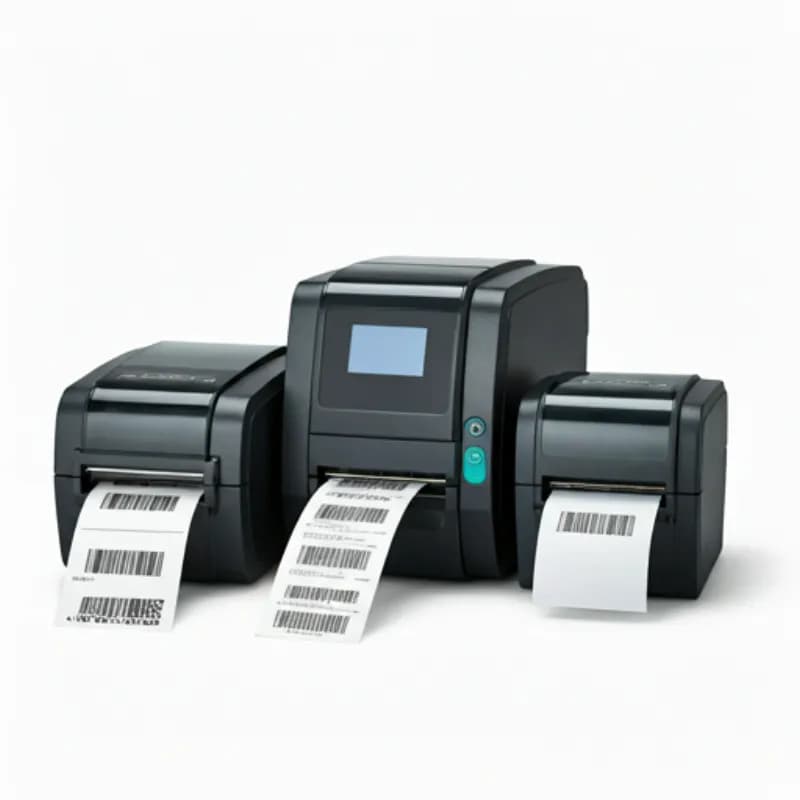
Introduction: The Hidden Cost of Choosing the Wrong Printer
In manufacturing and logistics, a barcode printer is like electricity — you don't notice it until it fails. And when it does, everything stops.
We've seen companies burn through desktop printers trying to handle 3,000 labels per day, buy 600 dpi machines for simple shipping labels (cutting throughput in half), and use direct thermal labels in freezers only to find them completely blackened within days.
The root cause is always the same: **choosing a printer without understanding the actual requirements.**
This guide is for IT procurement specialists, warehouse managers, and production line supervisors who need to make informed decisions about industrial barcode printers.
---
1. Define Your Requirements First
Before browsing product pages, answer these four questions:
Daily Print Volume
| Daily Volume | Recommended Class | Price Range |
|---|---|---|
| < 500 labels/day | Desktop | $150 - $500 |
| 500 - 5,000 labels/day | Mid-range Commercial | $500 - $1,300 |
| > 5,000 labels/day | Industrial | $1,300 - $4,000 |
**Important:** Plan for your print volume 2-3 years from now, not just today. Allow 30-50% headroom for business growth.
Label Width
If you occasionally need wider labels, buy the wider printer. A 6-inch printer can print narrow labels, but a 4-inch printer cannot print wide ones.
Print Environment
Connectivity
If you're connecting to an ERP or WMS, Ethernet is virtually mandatory.
---
2. Resolution: Higher Isn't Always Better
In industrial printing, resolution is a trade-off between quality and speed.
203 dpi — Logistics Workhorse
300 dpi — The Sweet Spot
600 dpi — Precision Only
**Practical advice:** 80% of businesses are perfectly served by 203 or 300 dpi. Always test with sample labels before committing to 600 dpi.
---
3. Direct Thermal vs. Thermal Transfer
Direct Thermal
The printhead heats special thermal paper directly to create the image.
Thermal Transfer
The printhead heats a ribbon to transfer ink onto the label.
Quick Decision Table
| Criteria | Direct Thermal | Thermal Transfer |
|---|---|---|
| Label lifespan | < 6 months | > 6 months |
| Environment | Indoor, room temp | High heat / outdoor / freezer |
| Scratch resistance needed | No | Yes |
| Label materials | Thermal paper only | Paper / PET / PP / synthetic |
**Best practice:** Choose a printer that supports both modes for maximum flexibility.
---
4. Brand Comparison: TSC vs. GoDEX vs. Zebra
TSC
GoDEX
Zebra
Selection Guide
| Scenario | Recommended | Reason |
|---|---|---|
| Budget priority | TSC | Best value, fast local service |
| Non-technical operators | GoDEX | Most intuitive touchscreen UI |
| Enterprise fleet management | Zebra | Link-OS platform is unmatched |
| First-time deployment, low volume | TSC or GoDEX | Low entry cost, solid support |
---
5. RFID Printers: Do You Need One?
When RFID Makes Sense
Cost Comparison
| Item | Standard Barcode | RFID |
|---|---|---|
| Printer | $300 - $2,500 | $1,500 - $6,500 |
| Per-label cost | $0.01 - $0.06 | $0.10 - $0.50 |
| Reader | Scanner from $60 | RFID reader from $500 |
**Recommendation:** Don't invest in RFID unless you have a clear use case today. However, choose a printer model that offers an RFID upgrade module so you can add the capability later without replacing the entire unit.
---
6. Your Selection Checklist
Answer these five questions before making your final decision:
1. **How many labels do I print per day?** → Determines printer class
2. **What is my widest label?** → Determines print width
3. **How long must labels remain legible?** → Determines direct thermal vs. thermal transfer
4. **What is the smallest element on my label?** → Determines resolution
5. **How does the printer connect to my systems?** → Determines connectivity options
Recommended Configurations
**Starter Package (< 500 labels/day):** Desktop printer + thermal labels. Budget: ~$250-$400.
**Mid-Range Package (500-3,000 labels/day):** Commercial 300 dpi printer + coated paper labels + wax ribbon. Budget: ~$650-$1,100.
**Industrial Package (3,000+ labels/day):** Industrial 300 dpi printer + application-specific labels + wax-resin or resin ribbon. Budget: ~$1,600-$3,000.
**Precision Package (micro-labels):** Industrial 600 dpi printer + PET or polyimide labels + full resin ribbon. Budget: ~$2,600-$5,000.
---
Conclusion
Choosing the right industrial barcode printer affects your production efficiency, shipping speed, label quality, and ultimately your professional reputation with customers.
Spend 30 minutes evaluating your requirements now to save three years of headaches and unnecessary costs.
If you're still unsure after reading this guide, contact us for a **free consultation and sample print test**. We'll recommend the best solution based on your actual labels, volume, and environment — not the most expensive option, but the right one.
Get in touch today and let our team find the perfect solution for your business.